An AI studio that turns a brief into client-ready work
ProDeck turns briefs, RFPs, meeting notes or a simple idea into proposals, presentations, documents and live microsites, written in your voice, styled in your brand, and fully editable.
- Client
- ProDeck
- Year
- 2026
- Duration
- Ongoing
- Services
- Product design, AI engineering, Full-stack platform
Overview
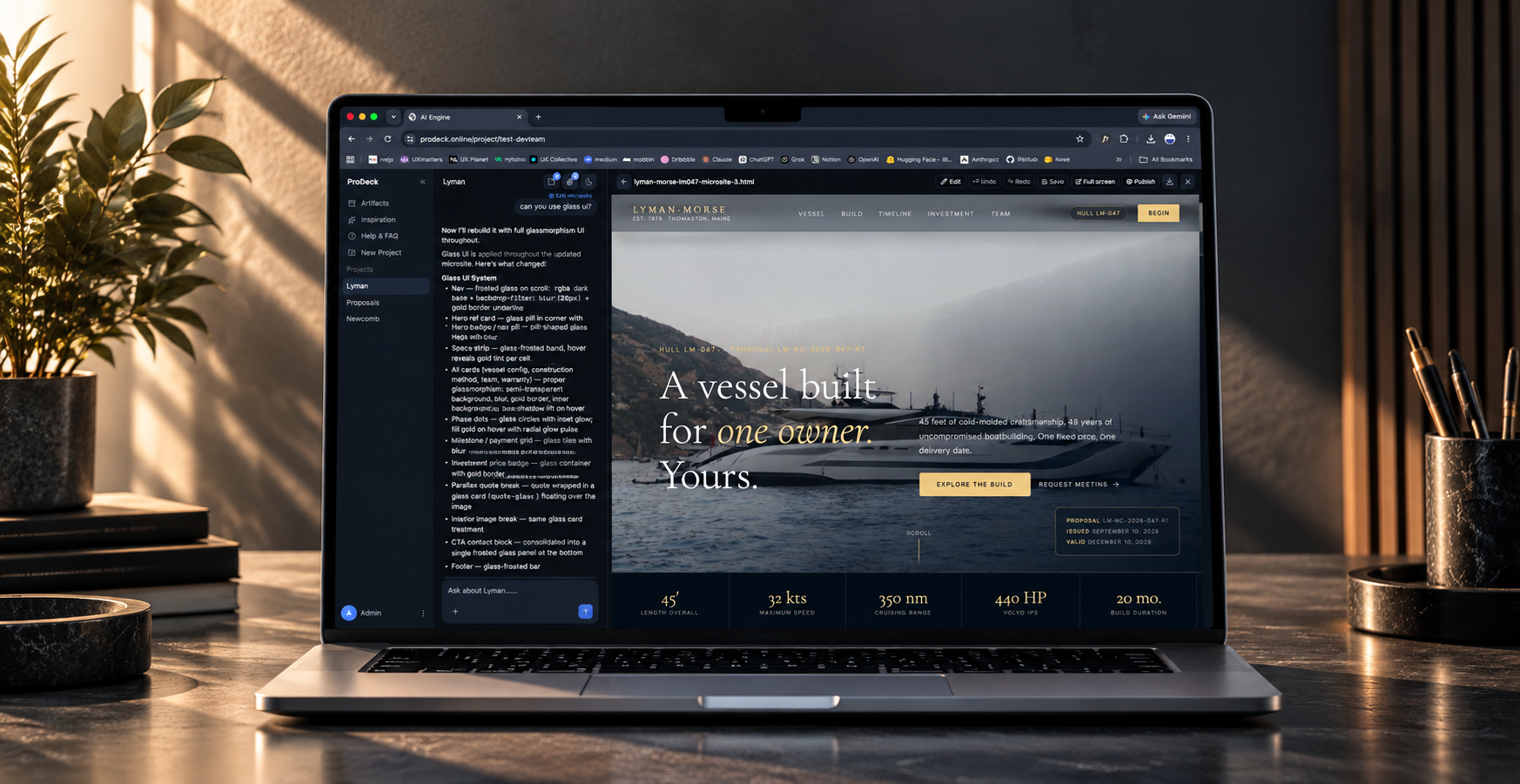
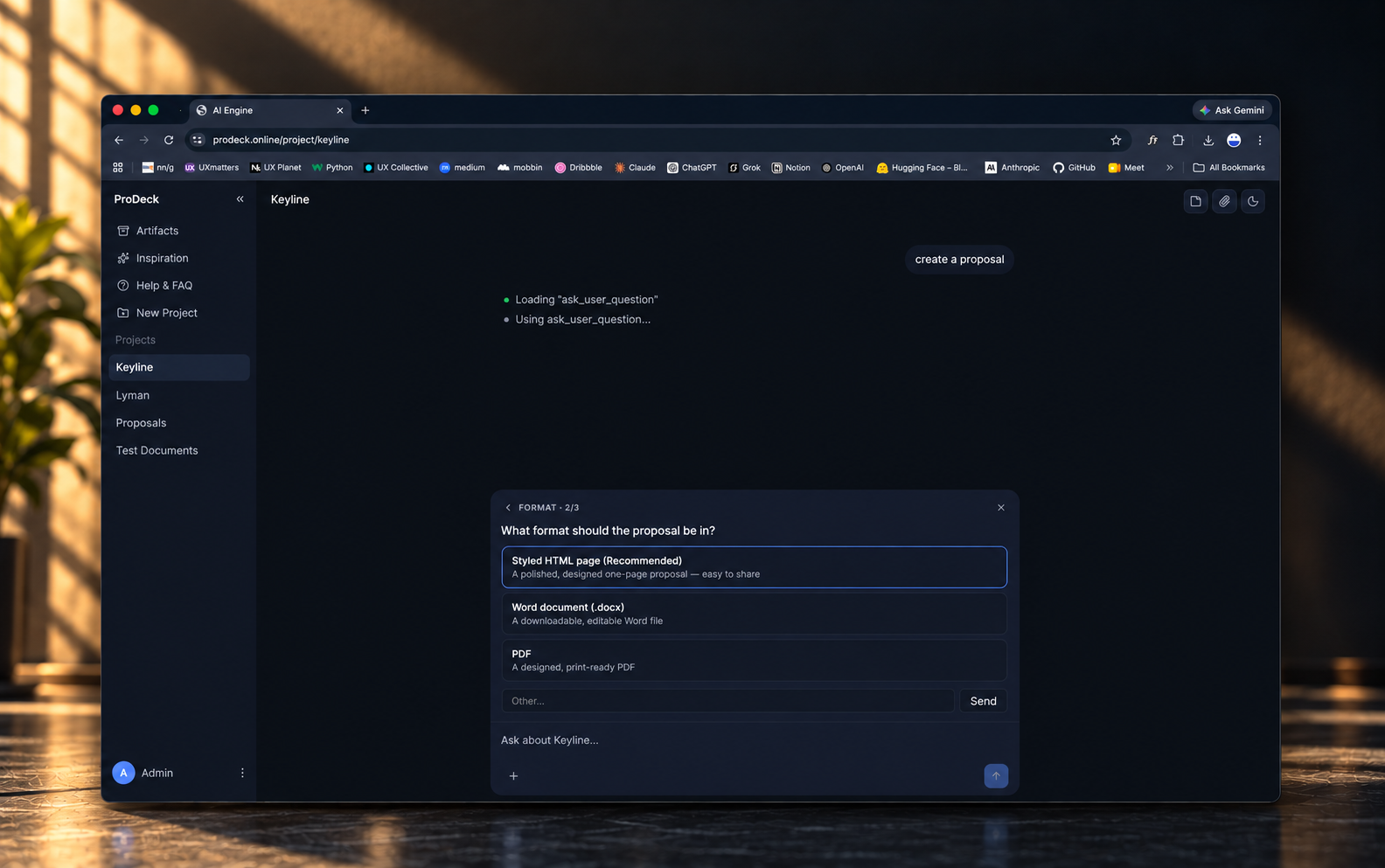
ProDeck is an AI studio for client work. Each client gets a project workspace that holds their files, chat and memory. You describe what you need, ProDeck asks about anything missing, then builds the piece in a live panel beside the chat, grounded in your material and finished in your team's voice and brand.
- Platform
- Web app · TypeScript monorepo · CLI
- Our role
- Product strategy, UX and interface design, AI and agent engineering, Retrieval (RAG) pipeline, Document generation, Publishing and infrastructure
- It produces
- Proposals, Presentations, Documents, Live microsites
- Headline
- 4 client deliverable types from one brief
The challenge
Client teams spend their best hours rebuilding the same proposals, decks and documents by hand. Generic AI tools are fast but invent facts, ignore the brand, and hand back output nobody can safely edit.
The product
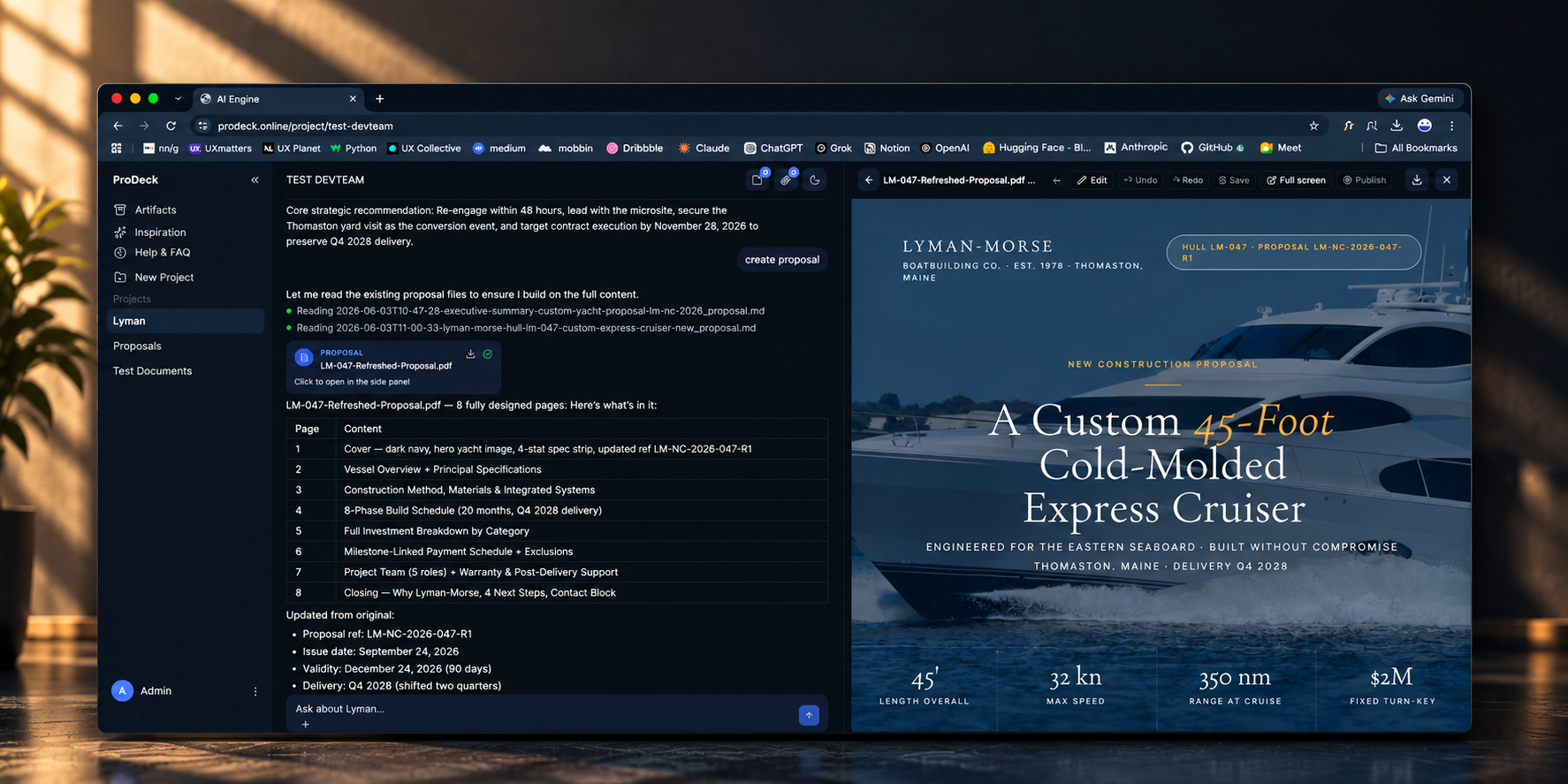
One workspace per client. A conversation on one side, the deliverable taking shape on the other.
- 01
Bring the raw material
Open a project workspace for the client and upload briefs, RFPs or meeting notes, or just start with an idea. The files and memory stay with that project.
- 02
Describe what you need
Ask for a proposal, a deck or a microsite in plain language. When something important is missing, ProDeck asks a clarifying question before it writes.
- 03
Watch it build
A multi-step planner breaks the request down and tool-using agents build the piece in a live panel, drawing on the uploaded material and the team's voice and brand.
- 04
Refine by pointing
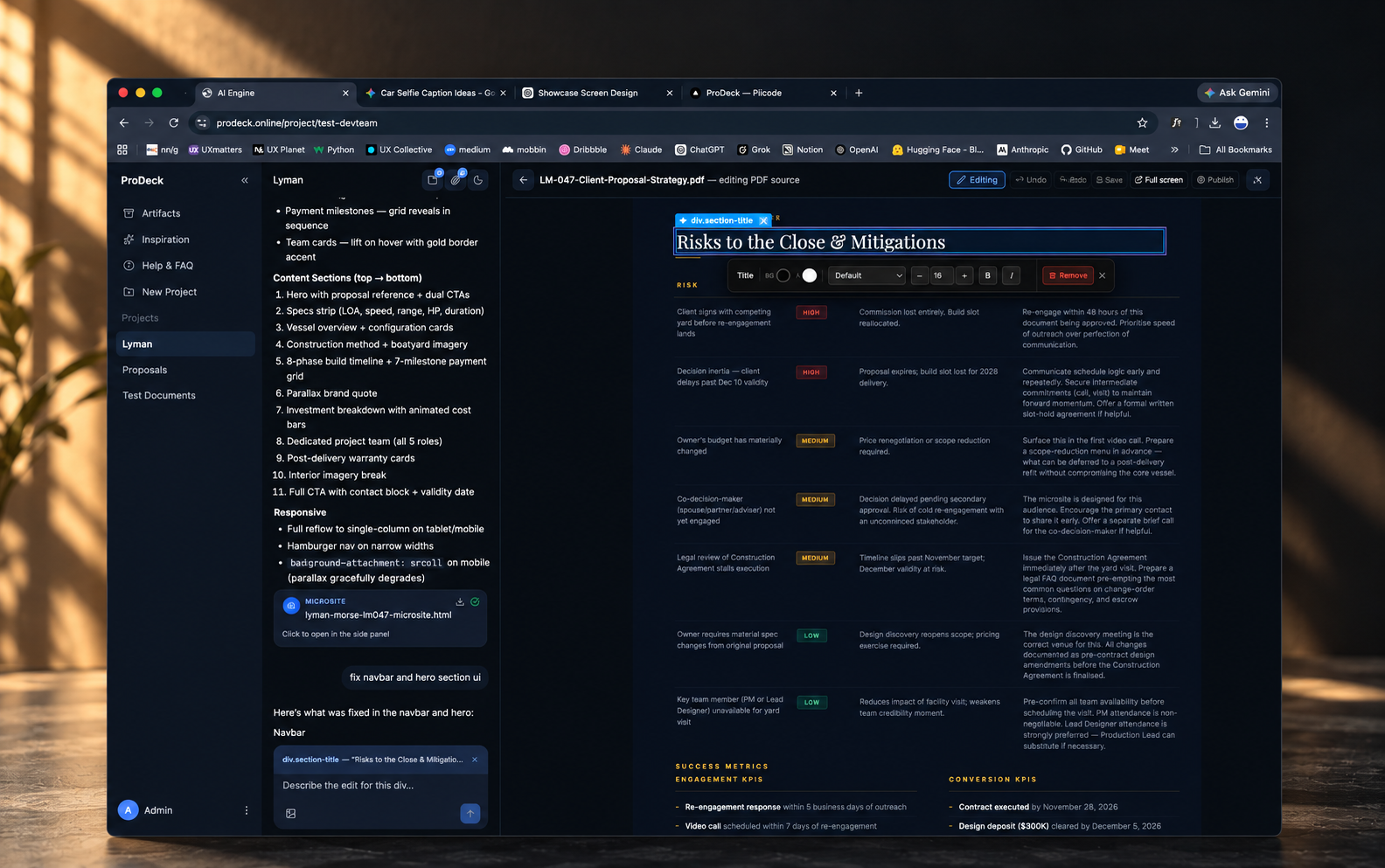
Select any element and describe the change, optionally with a reference image. Undo, redo and version history keep every edit reversible.
- 05
Ship it
Publish microsites to a subdomain or your own domain, with optional password protection, or export documents to PDF, Word or PowerPoint.
In use
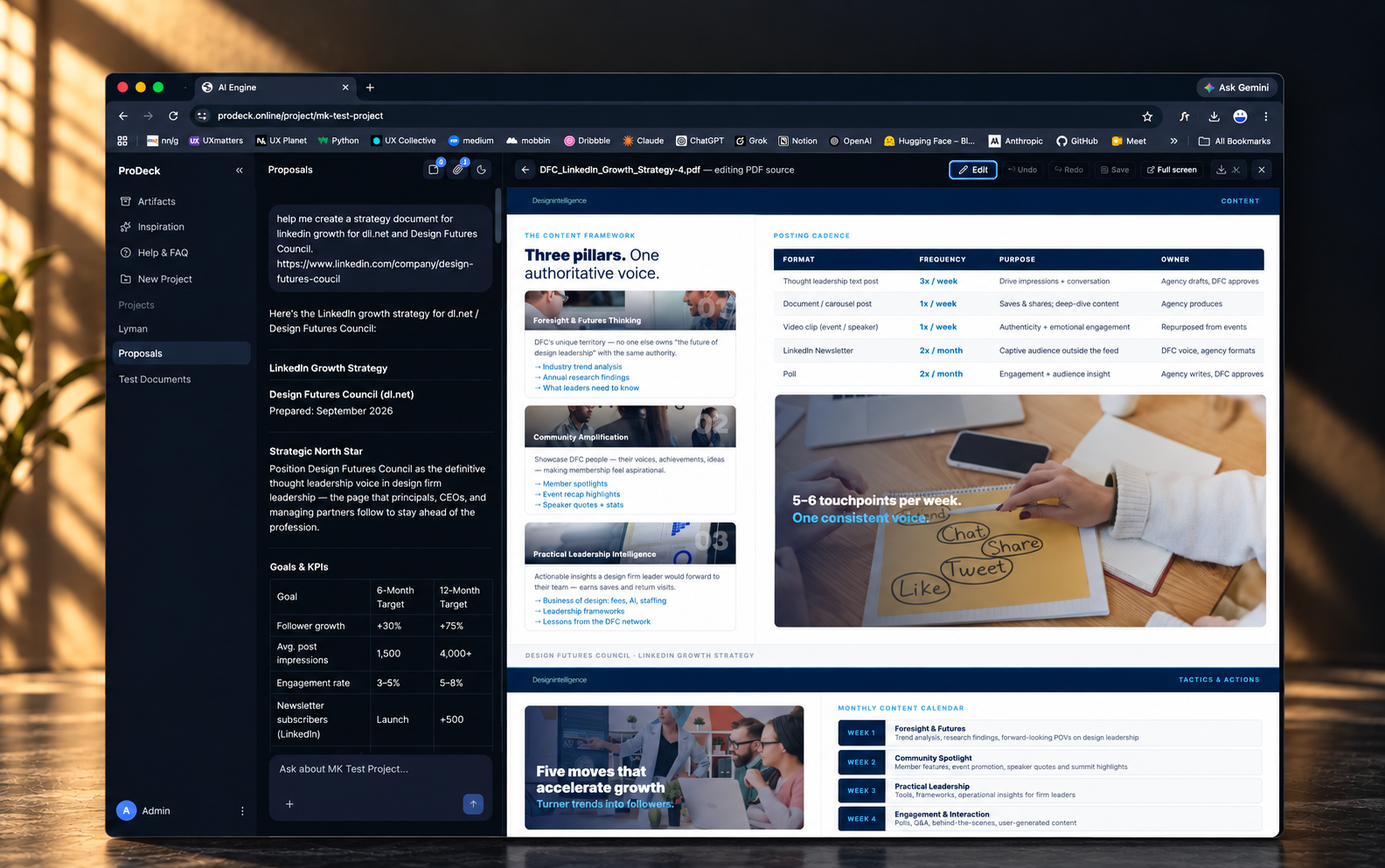
Screens from the live product. Each piece was generated from a short prompt and opens beside the chat that made it.
- Proposals
- Presentations
- Documents
- Microsites
- Your voice
- Your brand
Capabilities
8 capabilities that take a team from a first brief to a published, on-brand deliverable.
- 01
Project workspaces
Every client or piece of work gets its own space for files, chat and memory, so context never leaks between clients.
- 02
Chat-driven generation
Describe the outcome and ProDeck asks clarifying questions, then builds the piece in a live panel next to the conversation.
- 03
Grounded output
Content is retrieved from your own uploaded material, not invented, so claims in a proposal trace back to a source.
- 04
Author Voice
Learns how your team writes and applies that voice to every proposal, deck and page ProDeck produces.
- 05
Design Kit
Learns how your brand looks, from type and color to layout, and styles every output to match.
- 06
Click-to-edit microsites
Select any element, describe the change and add a reference image if it helps. Undo and redo work across every edit.
- 07
Version safety
Nothing is ever overwritten. Approved sections can be locked so later AI edits can't change them.
- 08
Publish and export
Microsites go live on a subdomain or custom domain with optional passwords. Documents export to PDF, Word or PowerPoint.
Our approach
Three moves, shipped in weekly cycles, that turned generic AI into something a client team can put its name to.
- 01
Start from the deliverable
We worked back from what teams actually hand to clients, then designed one workspace where a chat on the left builds the piece in a live panel on the right.
- 02
Ground every word
Uploaded material is processed in Python and indexed with FAISS, so generation retrieves from the project's own sources instead of inventing facts. Zod validates every AI response before it renders.
- 03
Make it safe to edit
Click-to-edit microsites, versioning that never overwrites, and section locks mean the team stays in control of anything the AI touches, all the way to publish and export.
Architecture
A TypeScript monorepo with a plugin-based pipeline engine. Every request follows the same path, from raw input to validated, versioned output.
01 · Input
- Briefs
- RFPs
- Meeting notes
- Ideas
02 · Knowledge
- Python parsing
- FAISS index
- Project memory
03 · Reasoning
- Multi-step planner
- Tool-based agents
- Voice + brand
04 · Validation
- Zod schemas
- Versioning
- Section locks
05 · Output
- Microsite
- Word
- PowerPoint
- Interface
- Next.js 15
- React 19
- TypeScript
- Zustand
- TipTap
- GSAP
- Motion
- API
- Node.js
- Fastify
- Zod
- Intelligence
- Anthropic Claude
- OpenAI
- Ollama
- Tool-based agents
- Multi-step planner
- Knowledge
- FAISS vector search
- RAG
- Python document processing
- Generation
- Puppeteer
- pdf-lib
- docx
- pptxgenjs
- Mermaid
- Platform
- S3-compatible storage
- pnpm workspaces
- Plugin pipeline engine
- CLI
Engineering decisions
AI that writes client work has to be reliable before it is impressive. These choices shaped everything else.
- 01
One interface, any model
Claude, OpenAI and local models through Ollama sit behind a single provider layer, so teams can choose on quality or cost, or keep sensitive work on their own hardware, without changing the product.
- 02
Validate before it renders
AI output is structured data, not free text. Zod schemas check every response, so malformed output is caught before it ever reaches the editor or a client.
- 03
A pipeline built from plugins
Ingestion, planning, generation and export are plugins on one pipeline engine. New output formats slot in without touching the core, and the same engine runs from the CLI.
- 04
Versions, never overwrites
Every AI edit creates a new version, and locked sections are off limits to the model. Trust comes from knowing nothing approved can silently change.
The results
0
deliverable types from one brief: proposals, decks, documents and microsites
- AI providers behind one interface: Claude, OpenAI and local models
- 0
- overwrites: every AI edit is a new version, and approved sections can be locked
- 0
Bring us the brief